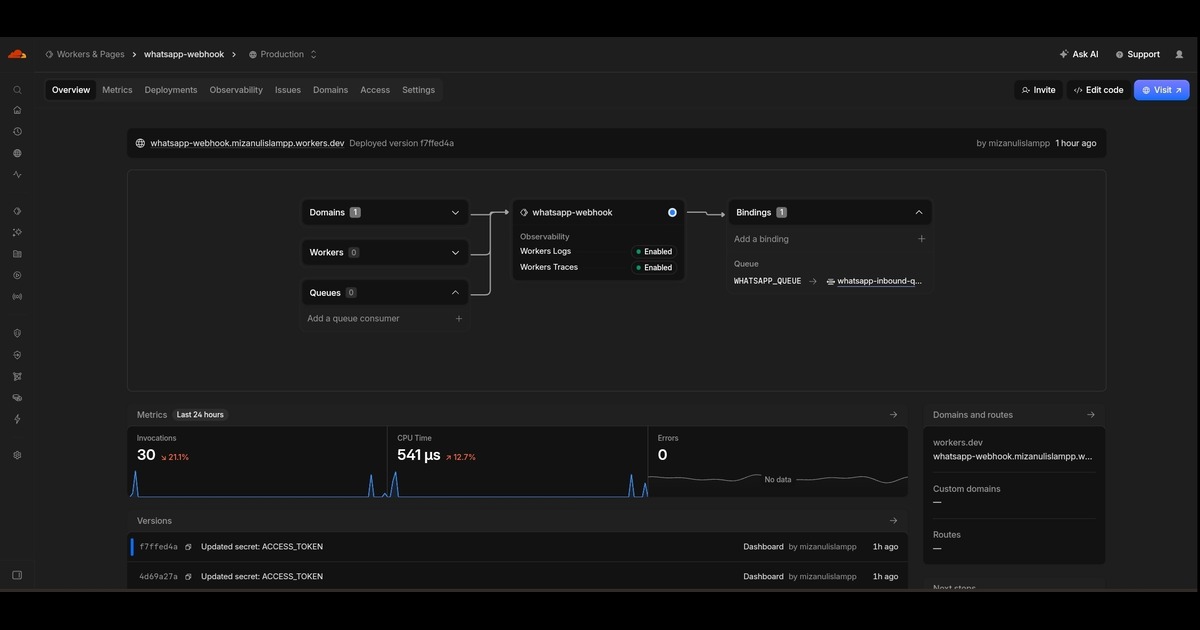
Scaling WhatsApp automation for thousands of concurrent users requires a non-blocking, event-driven backend. Simple synchronous HTTP calls to Meta's Cloud API will hit rate limits and drop webhooks under traffic spikes.
Here is the architecture I use — designed to survive real traffic without losing events.
The Problem with Naive Webhooks
When Meta sends a webhook to your endpoint, it expects a 200 OK response within 3 seconds. If you do not respond fast enough, Meta retries — and repeated retries can flood your server.
Most beginners make the mistake of doing heavy work inside the webhook handler:
- Parsing the full message
- Sending a reply via Cloud API
- Logging to a database
- Triggering downstream workflows
This blocks the response and causes timeouts. Under load, events get dropped entirely.
The Solution: Queue-Based Architecture
The fix is simple: return 200 immediately, then process in the background.
Step 1: Webhook Returns Fast
When Meta sends a webhook, your endpoint does exactly three things:
- Validate the signature
- Push the payload into a queue
- Return
200 OK
Total time: under 200 milliseconds. Meta is happy.
Step 2: Worker Processes Async
A separate worker process pulls from the queue and does the real work:
- Parse the message content
- Determine the correct response
- Call the Cloud API to send the reply
- Log the event to the database
If the worker crashes, the queue still holds the message. Nothing is lost.
Step 3: Respect Rate Limits
Cloud API has messaging and conversation limits that vary based on your account tier. When you exceed them, Meta returns HTTP 429 Too Many Requests.
Never retry immediately. Implement exponential backoff:
- First retry: 1 second wait
- Second retry: 2 seconds wait
- Third retry: 4 seconds wait
- Fourth retry: 8 seconds wait
- And so on, up to a maximum
This prevents hammering the API and gives your account time to recover.
Step 4: First-Party Event Logging
Do not rely on Meta's dashboard for message history. Log every event to your own database:
- sent — message was accepted by Meta
- delivered — message reached the user's phone
- read — user opened the message
- failed — message could not be delivered
This becomes your source of truth for campaigns, customer support, and analytics. It also protects you if Meta's API changes.
Recommended Stack
Here is what I use for production WhatsApp automation:
- Webhook endpoint: Cloudflare Worker or Express server
- Queue: Redis with BullMQ (Node.js) or RQ (Python)
- Worker: Separate process, scaled horizontally
- Database: PostgreSQL or Supabase for event logs
- Monitoring: Sentry for errors, Grafana for queue depth
The whole stack can run on a single VPS for small volumes, or scale out to Kubernetes for high throughput.
Common Mistakes to Avoid
Mistake 1: Synchronous Reply in Webhook
Sending the reply inside the webhook handler. This blocks the response and causes timeouts under load.
Fix: Push to queue, return 200, process async.
Mistake 2: No Retry Logic
When the Cloud API returns 429, the code just fails silently. Messages get lost.
Fix: Exponential backoff with a max retry limit.
Mistake 3: Ignoring Webhook Signature
Accepting any POST request to the webhook endpoint. This is a security risk — anyone can send fake events.
Fix: Validate the X-Hub-Signature-256 header using your app secret.
Mistake 4: No Monitoring
Running without alerts on queue depth, error rate, or API rate limits.
Fix: Set up alerts for queue depth above a threshold, error rate above 1%, and 429 rate above 0.5%.
How I Would Scale This
Start small. One template, one queue, one worker. This handles a few hundred messages per day without issue.
When volume grows:
- Scale workers horizontally (add more worker processes)
- Partition the queue by conversation ID to avoid ordering issues
- Cache frequently used templates in memory
- Batch database writes every few seconds instead of per-event
The architecture stays the same. Only the scale changes.
The Real Lesson
WhatsApp automation is not about sending messages. It is about building a reliable event pipeline that survives traffic spikes, rate limits, and infrastructure failures.
If you handle the foundation correctly — queue, worker, retry, logging — the rest is just templates and business logic.